
Billing & Usage
Billing & Usage Overview
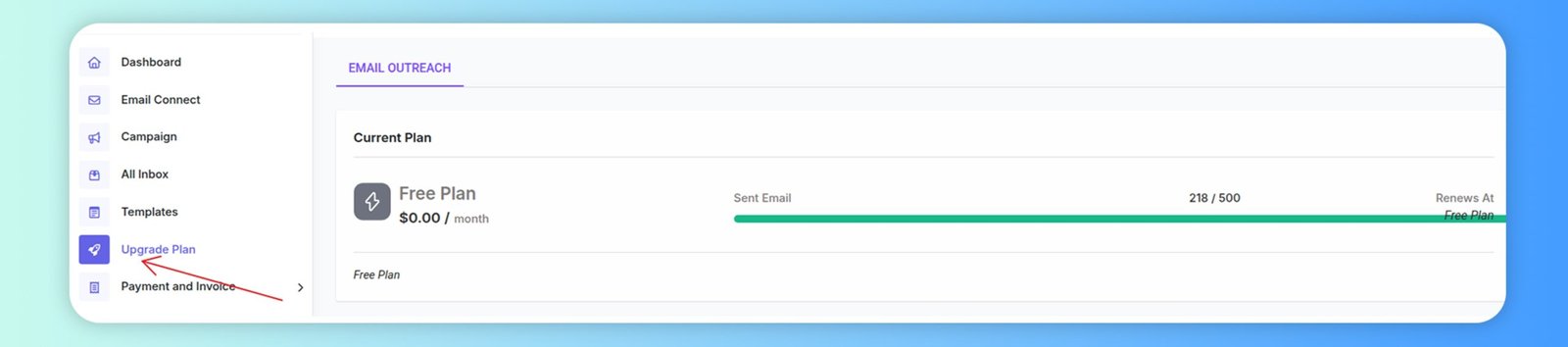
The Billing & Usage section provides a complete overview of your current subscription plan, billing cycle, and available upgrade options. This page is designed to help you understand your usage limits, manage your plan effectively, and track all features associated with your Reachingly subscription.
Managing Your Subscription
From the Billing section, you can:
- Upgrade to a higher plan.
- Downgrade to a smaller plan (effective at next billing cycle).
- Cancel your current plan.
- Compare plan features before making changes.
- Switch billing frequency (monthly ↔ yearly ↔ lifetime).
This allows full control over your subscription and spending.
Email Outreach Usage
Under your active plan, you can monitor:
- Emails sent this billing cycle
- Total allowed emails per month
- Contacts uploaded
- Remaining usage balance
This ensures you never exceed your sending limit and can plan your campaign volume accordingly.
Payment & Invoice
The Payment & Invoice section allows you to view, manage, and download all billing-related records associated with your Reachingly account. This area is especially useful for users who need clear tracking of past payments, subscription renewals, team purchases, and official invoices for accounting purposes.
Where to Find Payment & Invoice
Navigate to:
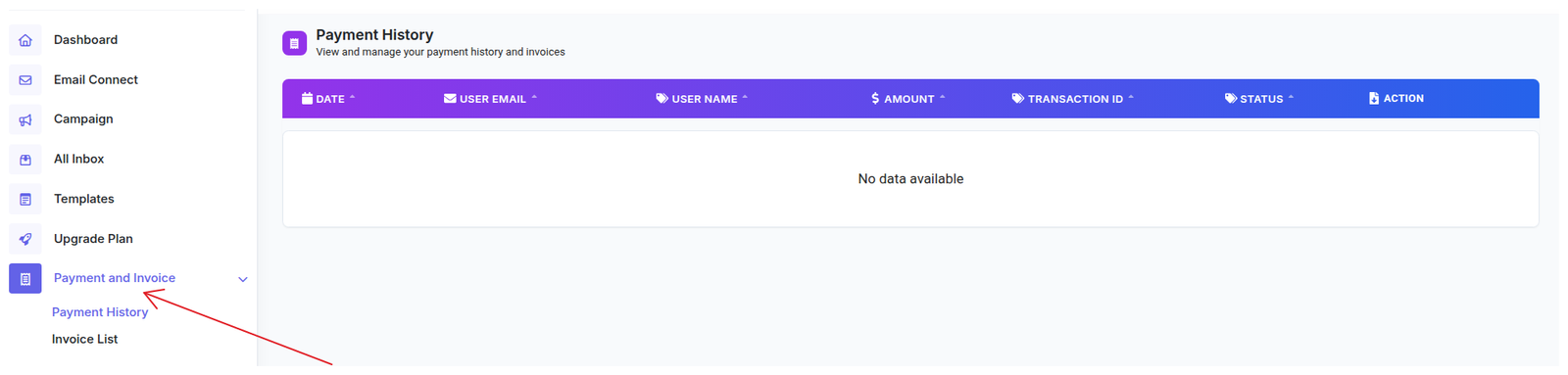
Left Sidebar → Payment and Invoice
Here you will see two sub-sections:
- Payment History
- Invoice List
Each section gives visibility into your financial records.
Payment History
The Payment History tab shows a detailed list of all transactions made under your account. This includes subscription payments, plan upgrades, renewals, and other billing-related charges.
✔ What You Can See in Payment History
Each transaction includes:
- Date
When the transaction was processed. - User Email
The email address associated with the transaction (useful for multi-user teams). - User Name
Identifies which team member triggered the payment. - Amount
The billed amount for the subscription or purchase. - Transaction ID
Unique reference for payment verification or support inquiries. - Status
Shows whether the payment was Successful, Pending, or Failed. - Action
Options to view or download related documents (varies depending on payment method and gateway).
Why This Section Matters
The Payment & Invoice section ensures:
- Full transparency of your billing history
- Easy access to downloadable invoices
- Quick verification of payment status and amounts
- Smooth financial reporting and documentation
- Simplified troubleshooting for billing issues
Whether you're a solo marketer or managing a larger team, this section keeps all financial records clean, organized, and accessible.
Summary
The Billing & Usage section is your command center for all subscription-related settings. From reviewing your current plan to upgrading, canceling, checking usage limits, or managing additional services, everything is organized in one clean dashboard.